
This forum is still new and may look a bit empty at the moment.
Please don’t hesitate to ask your questions. If you are building a Raw Creative 2.5, planning your build or wondering about parts, setup or assembly, feel free to start a topic.
I will do my best to answer questions and help as much as I can. As more builders join, the forum will grow into a useful place for tips, build discussions and shared experience.

First day in the system and playing with everything. I noticed that the calculator produces 4 rows of numbers with no labels as to what they are. I am assuming they relate to the frame components listed on the picture at the top of the calculator. Low priority for future cleanup of the calculator.
My assumption is that they are X Rails, Y Rails, Gantry Rails, Cross members.
- 2x 80x20 aluminium profile = 1495 mm
- 2x 80x20 aluminium profile = 990 mm
- 2x 60x20 aluminium profile = 934 mm
- 3x 60x20 aluminium profile = 1455 mm
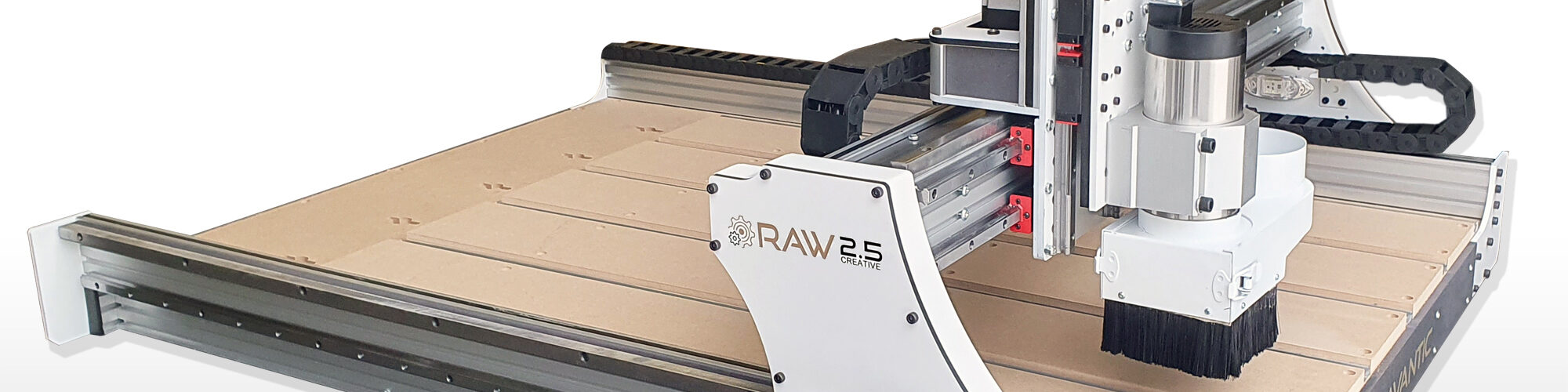
Another suggestion: being new to the project, it would be helpful to have a picture with parts labeled to help with the learning curve. Such as the difference between an X Rail and a Gantry Rail. I am sure I will eventually stumble across these terms being used in the video or in the instructions.

Hi,
Thank you for the observation. You are right, the calculator was not clear enough there.
I have now made it a bit clearer by adding labels to the aluminium profile list, so it should be easier to understand which profiles are used for the Y/A-axis, X-axis/gantry and frame supports.
A labelled picture is also a good suggestion, especially for new builders. The videos and illustrations explain a lot of it, but I agree that a simple labelled overview would make the learning curve easier.
Thanks again for pointing it out. Feedback like this helps us improve the build platform step by step.
FYI. The BOM list for the Rack and pinion version webpage is missing a link under Aluminium, racks, cables and guide rails section. This section has what looks like a link to the calculator (Open Raw Creative 2.5 calculator) but its not a link -- just plain text.
Thank you, i will fix that!

Hi, I'm planning a Creative Rack & Pinion build (I'm in US so sourcing parts locally) and I just noticed that the calculator doesn't list the Z-axis in the "Motion Parts" section. I assume the Z-axis is the same spec no matter what size the frame is, what are those lengths for HGR15 guide rails/ball screw?
I noticed the BOM says the ball screw is 280mm, is that also the length of the Z guide rails?
